
Mastering Efficiency: The Power of Excel VBA Development
Excels' advanced VBA capabilities allows you to customise just about any part of Excel, its toolset and how it interacts with users, other programs and the web.
6/19/20243 min read
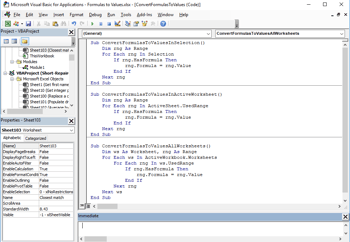
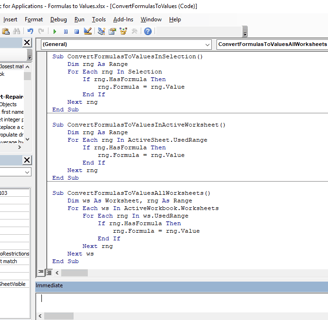
If you’re looking to supercharge your Excel spreadsheets and take your Excel Application to the next level, then Excel VBA (Visual Basic for Applications) is your ticket to increased efficiency and enhanced productivity. Let’s dive into the world of Excel VBA and explore how it can revolutionize your data management, automate tasks, and unleash the full potential of Excel.
What is Excel VBA?
Excel VBA is a powerful programming language that allows you to automate tasks and create custom functions directly within Excel. Whether you’re a seasoned Excel user or just starting out, learning VBA opens up a whole new world of possibilities for data manipulation, automation, and customization.
Why Excel VBA Development?
Automate Repetitive Tasks: Say goodbye to mundane, repetitive tasks. Excel VBA allows you to automate processes like data entry, formatting, and reporting, saving you time and reducing errors.
Custom Solutions: Need a specific function or tool that Excel doesn’t provide out-of-the-box? With VBA, you can create custom solutions tailored to your unique business needs.
Enhanced Data Analysis: Develop macros and scripts to perform complex data analysis and calculations, allowing you to extract deeper insights from your data.
Interactive Dashboards: Create dynamic and interactive dashboards using VBA to visualize and present your data effectively.
Integration with Other Applications: Excel VBA can integrate seamlessly with other Microsoft Office applications like Word and Outlook, as well as external databases and APIs, enhancing your data management capabilities.
Benefits of Excel VBA Development
Increased Efficiency: Automate time-consuming tasks and processes, allowing you to focus on more strategic activities.
Error Reduction: Automating tasks reduces the likelihood of errors associated with manual data entry and manipulation.
Customization: Tailor Excel to fit your specific business needs with custom functions, forms, and user interfaces.
Scalability: Excel VBA solutions can grow with your business, adapting to changing requirements and increasing data volumes.
Real-World Applications
Automated Data Processing: Automate data import, validation, and processing tasks to ensure accuracy and efficiency in your data workflows.
Dynamic Reporting: Develop automated reporting solutions that generate real-time insights and visualizations, helping you make informed decisions faster.
Custom Business Applications: Build custom tools and applications within Excel that integrate with other systems, improving collaboration and data sharing across your organization.
Automating Data Entry: Create macros to import data from external sources, validate and format data, and update databases.
Reporting and Dashboards: Develop macros to generate automated reports and dynamic dashboards with charts and graphs.
Financial Modeling: Build custom functions and calculations for financial analysis, budgeting, and forecasting.
Integration with Other Systems: Develop macros to automate data transfers between Excel and other applications or databases.
Why Choose a Professional Excel VBA Developer?
Experience and Expertise: Professional VBA developers bring years of experience and deep expertise in Excel automation and customization, ensuring robust and efficient solutions.
Customization and Optimization: They can optimize your Excel workflows, making them more efficient and effective through tailored automation and advanced functionality.
Reliability and Support: Professional developers provide ongoing support and maintenance, ensuring your Excel solutions remain stable, secure, and up-to-date.
Conclusion
Excel VBA development is a game-changer for anyone looking to streamline workflows, improve data accuracy, and maximize productivity. Whether you’re a small business owner, financial analyst, or data enthusiast, mastering VBA can unlock new levels of efficiency and capability within Excel. Ready to take your Excel skills to the next level? Start exploring Excel VBA today and transform your spreadsheet tasks into automated workflows that save time and deliver better results.
Unlock the potential of Excel VBA and elevate your data game. Dive into the world of automation and customization with Excel VBA—your path to mastering efficiency!
Feel inspired to dive into the world of Excel VBA? Start today and see how it can transform your data management and analysis workflows.